Legal & Terms
Flexible terms & conditions setup with built‐in protection.
In this page
February 6th, 2025
Data Collection & Acknowledgement
Terms & Conditions
This design directly addresses our legal exposure while accelerating advisor productivity. The result: faster event website launches, consistent capture of critical terms, and advisors who understand their accountability.
Travel Advisor Responsibility
Important disclaimer that advisors need to acknowledge before they proceed. This is essentially a liability transfer – we are protecting ourselves.
Critical Terms
Payment Terms & Hotel Penalties – Requiring upfront completion to ensure critical information is captured before advisors can proceed.
Ackowledgement Checkbox
Most importantly, advisor must explicitly acknowledge their responsibility before proceeding, giving us documented consent that protects the company.

February 6th, 2025
Initial Workflow
Critical Terms
Even though advisors could write payment terms and hotel penalties in the main editor, by having dedicated fields for them:
- Signals importance ‐ "We care enough about these to ask separately"
- Forces consideration ‐ Can't skip to Continue without addressing them
- Creates awareness ‐ Even if they enter "N/A" or something off‐topic, they've at least thought about it
- Provides structure ‐ Helps less experienced advisors remember what to include
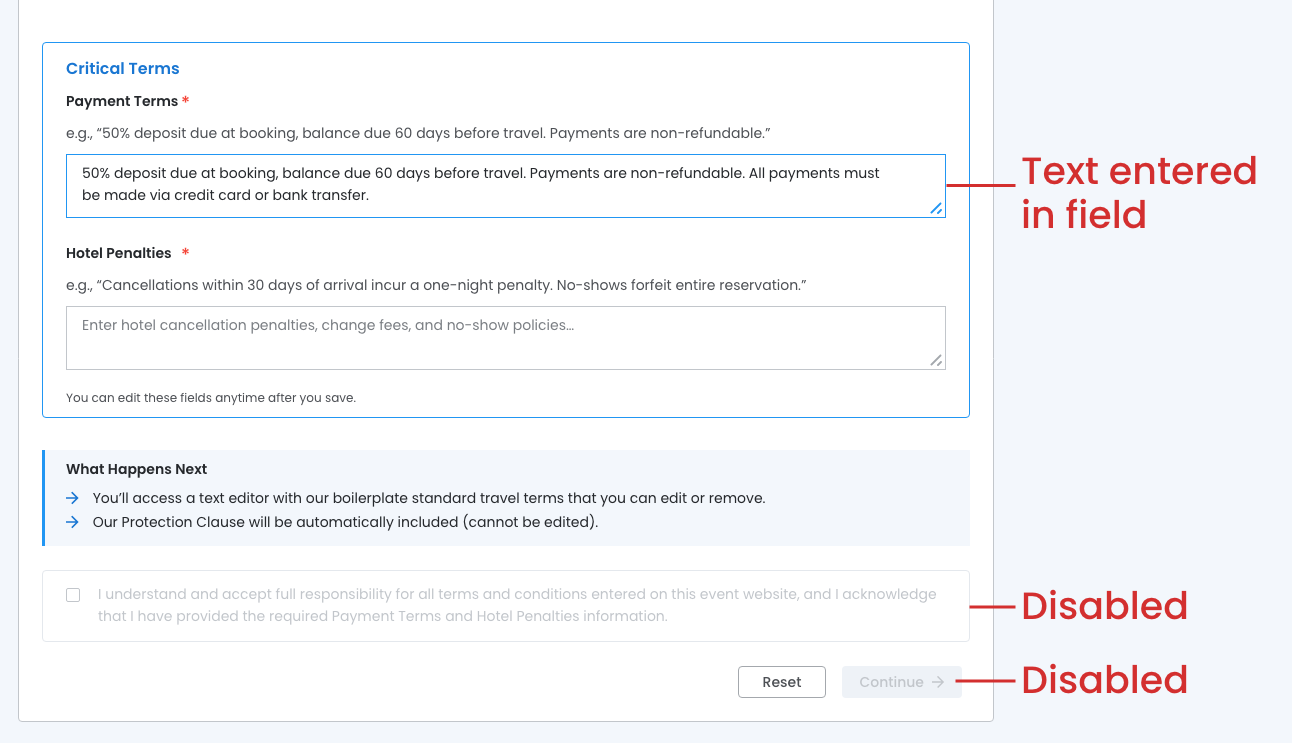
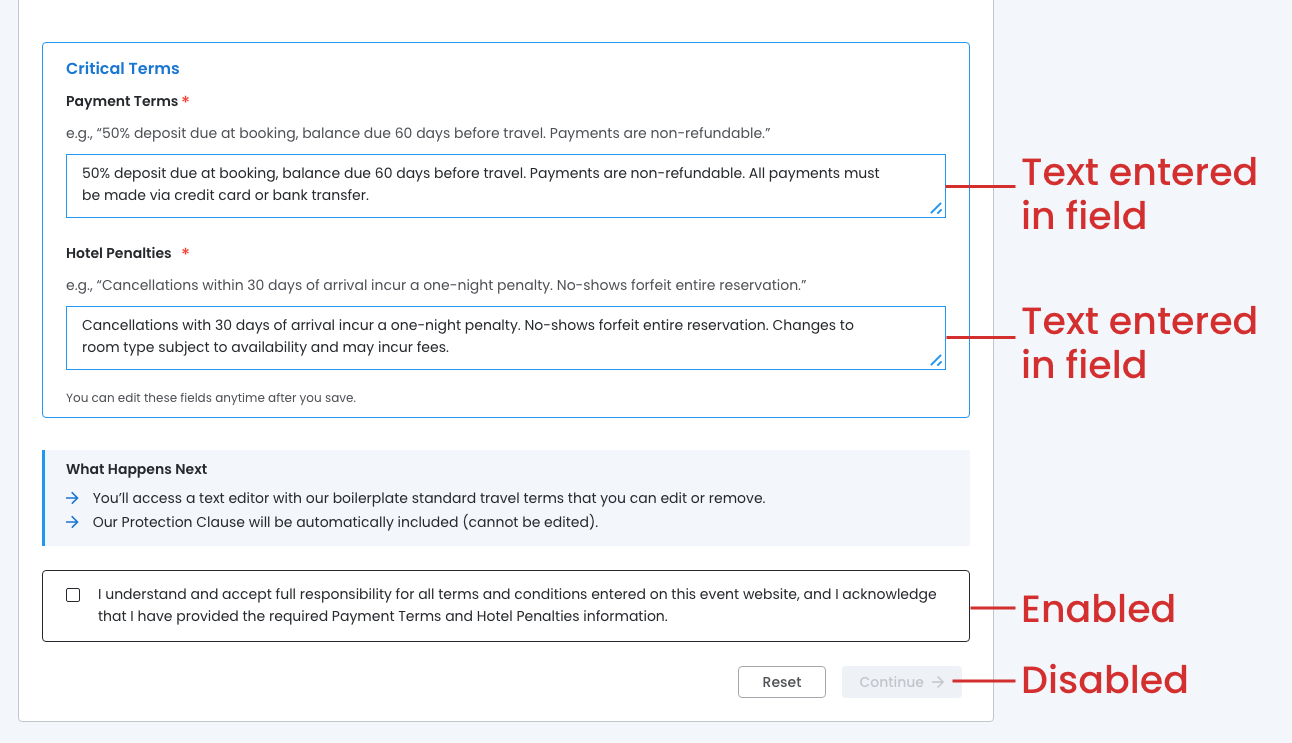
Both fields must be filled in order to enable the Ackowledgement Checkbox.
Text entered in a single field:
- Acknowledgement remains disabled
- Continue button is disabled
Text entered for both fields:
- Acknowledgement is enabled
- Continue button remains disabled
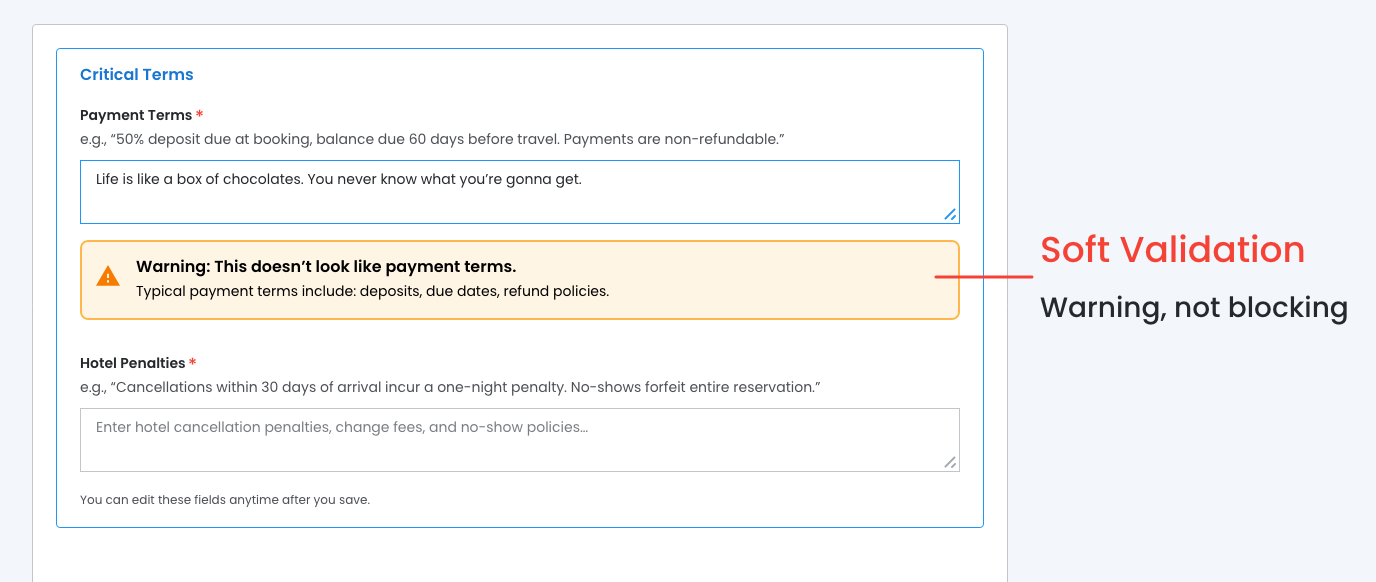
Soft Validation
Warning, not blocking.
- Educates advisors
- Doesn't block legitimate edge cases
- Creates awareness without being heavy‐handed
Acknowledgement Checkbox
Acknowledgement box must be checked to enable the 'Continue' button.

February 11th, 2025
Text Editor State
Terms & Conditions Setup with Built‐in Protection
Empowering travel advisors to create professional terms & conditions while protecting the company from chargebacks. The company protection clauses is automatically included and locked.
- Text Editor ‐ Pre‐populated with boilerplate text (can be edited or removed)
- Payment Terms ‐ Locked Section (with Edit button that opens modal)
- Hotel Penalties ‐ Locked Section (with Edit button that opens modal)
- Company Protection Clause ‐ Locked Section (required, cannot be edited)

Boilerplate Text
User removes boileplate text and enters their own terms to fit their specific needs.
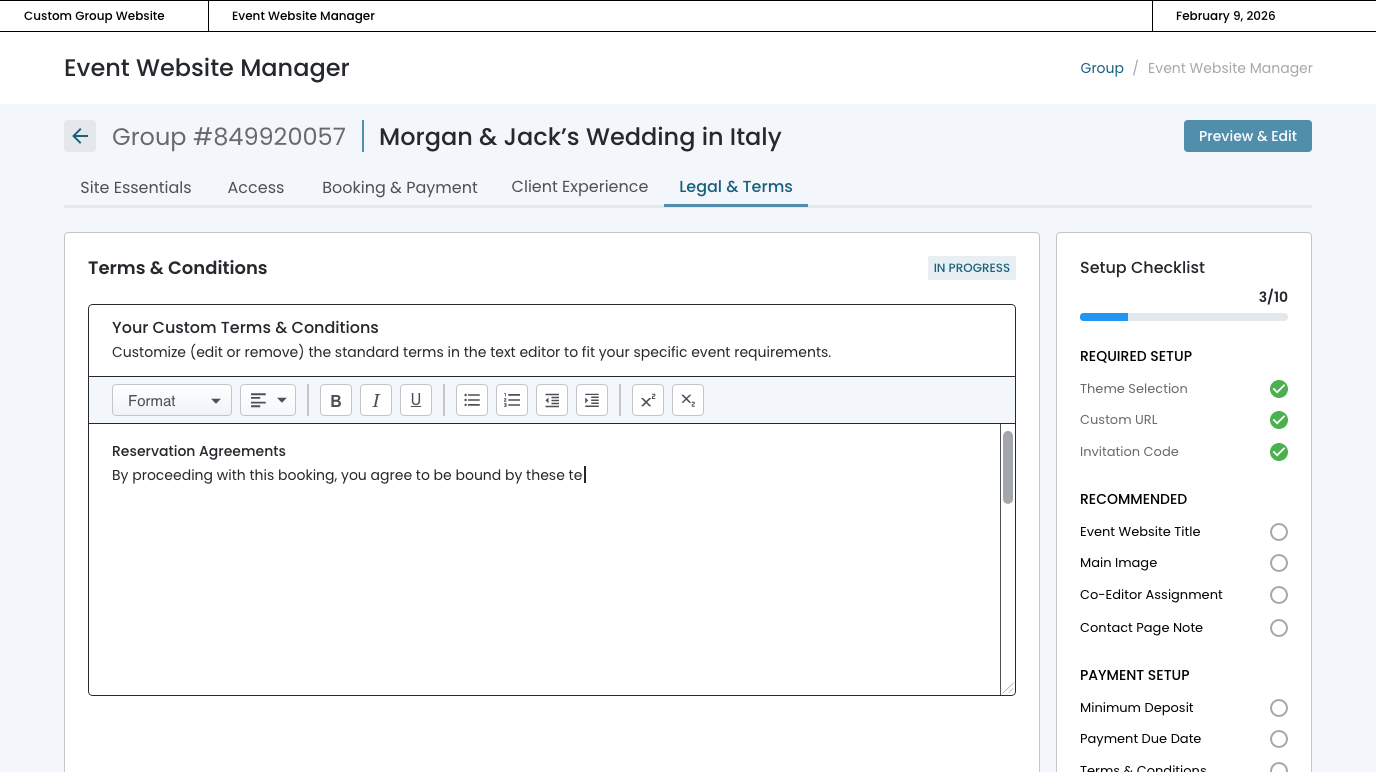
User enters their own terms and conditions.
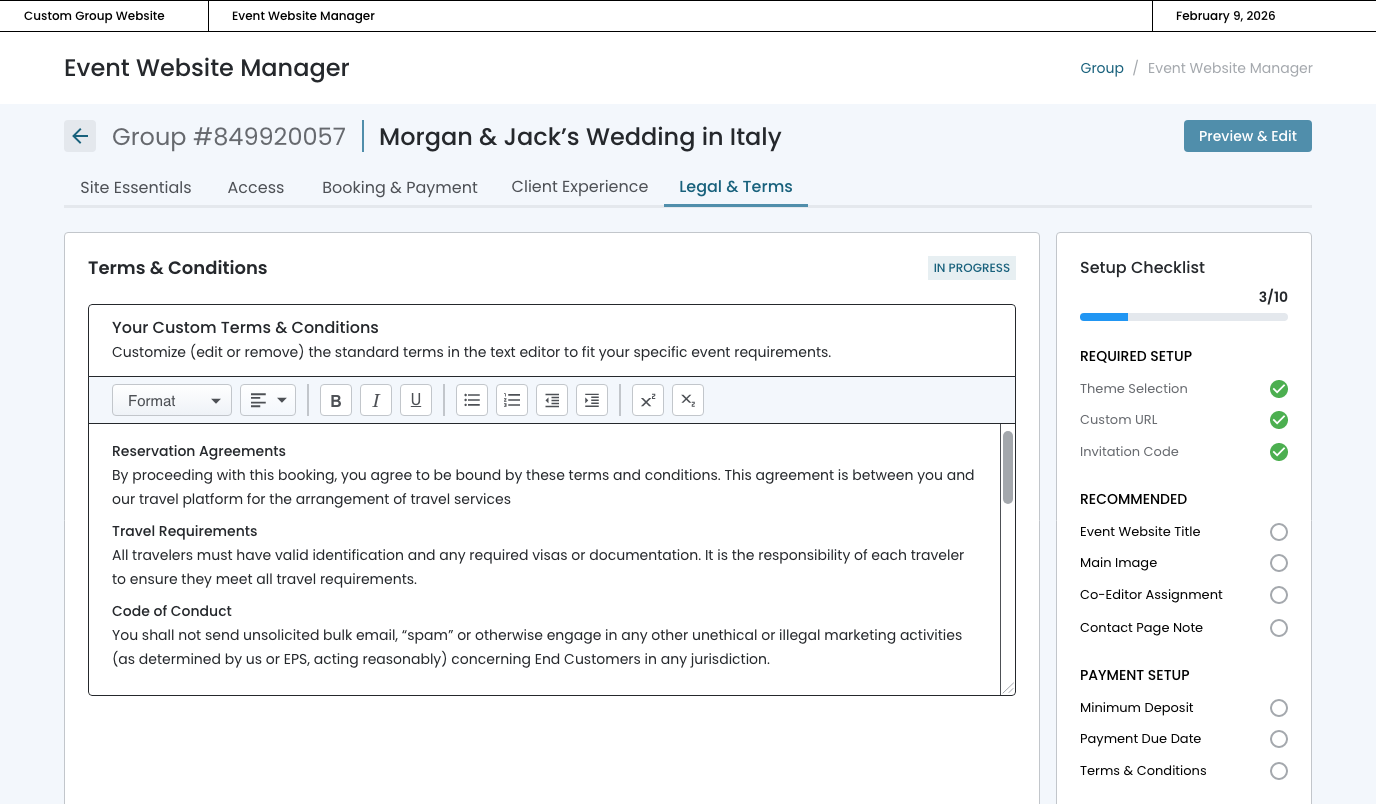
Modal ‐ Payment Terms
Acknowledgement box must be checked to save changes.
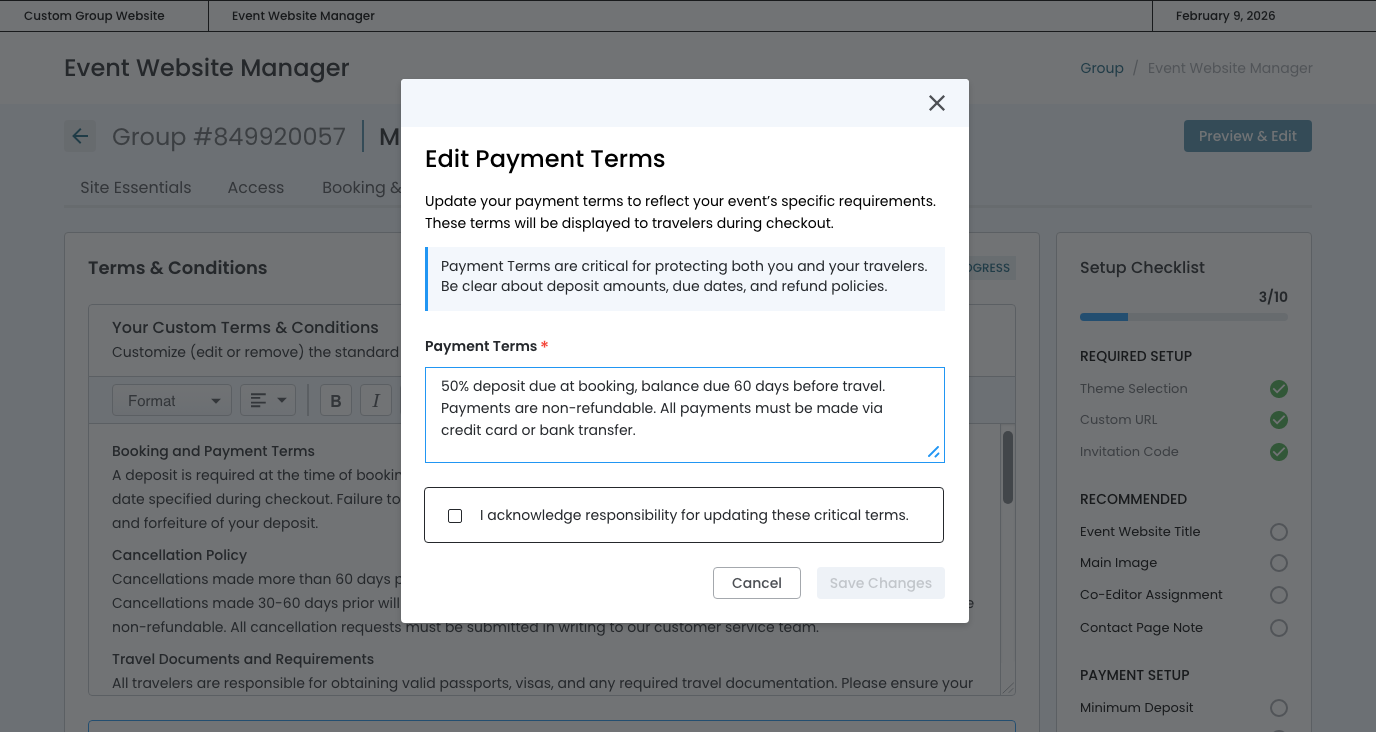
Modal ‐ Hotel Penalties
Acknowledgement box must be checked to save changes.
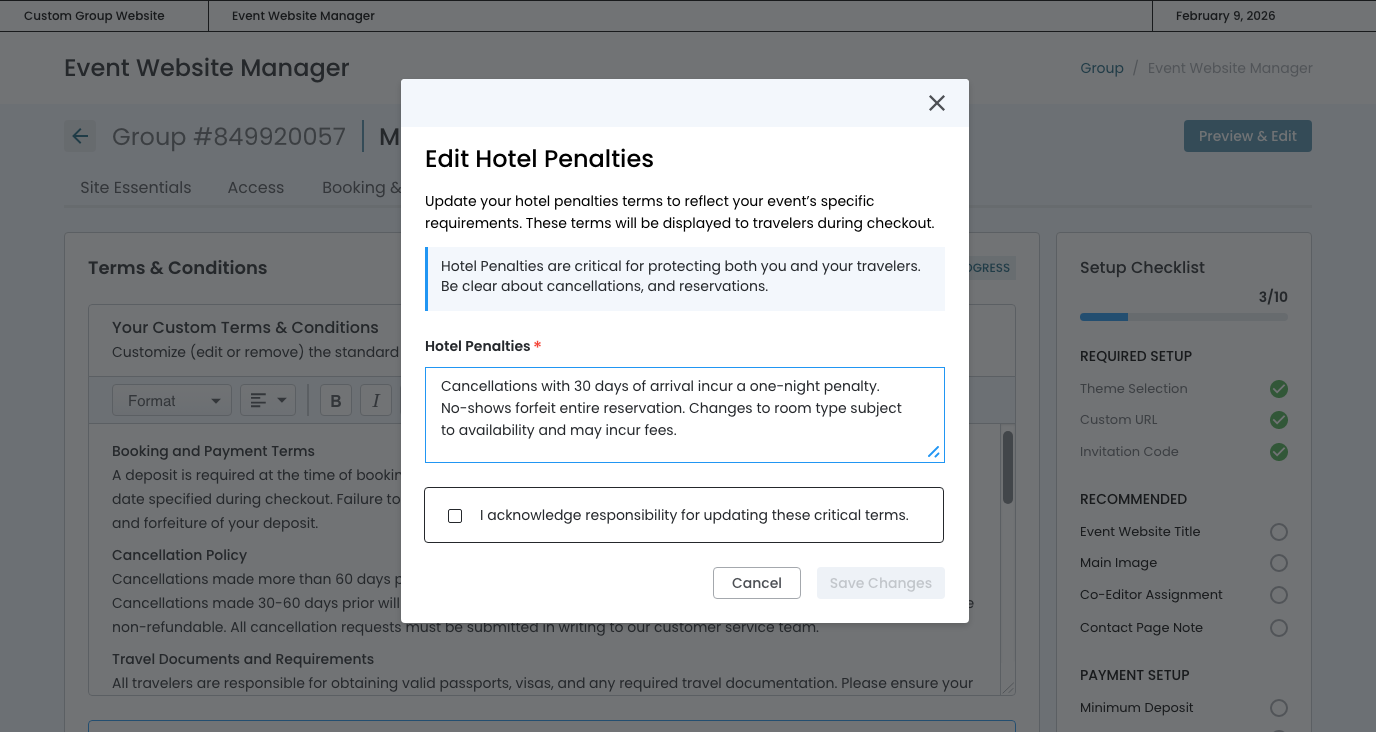
Save Changes
Acknowledgement checked, the "Save Changes" is enabled.

February 13th, 2025
Saved State
By presenting a scrollable, read-only preview that mirrors the checkout layout advisors can verify exactly what travelers will see without needing to navigate away. The "Edit Terms" button returns the advisor to the full editor.
The COMPLETE badge and checklist progression provide clear closure. The Saved state design balances:
- Transparency (showing all content)
- Efficiency (single edit entry point)
- Confidence-building (visual proof of placement)

Modal
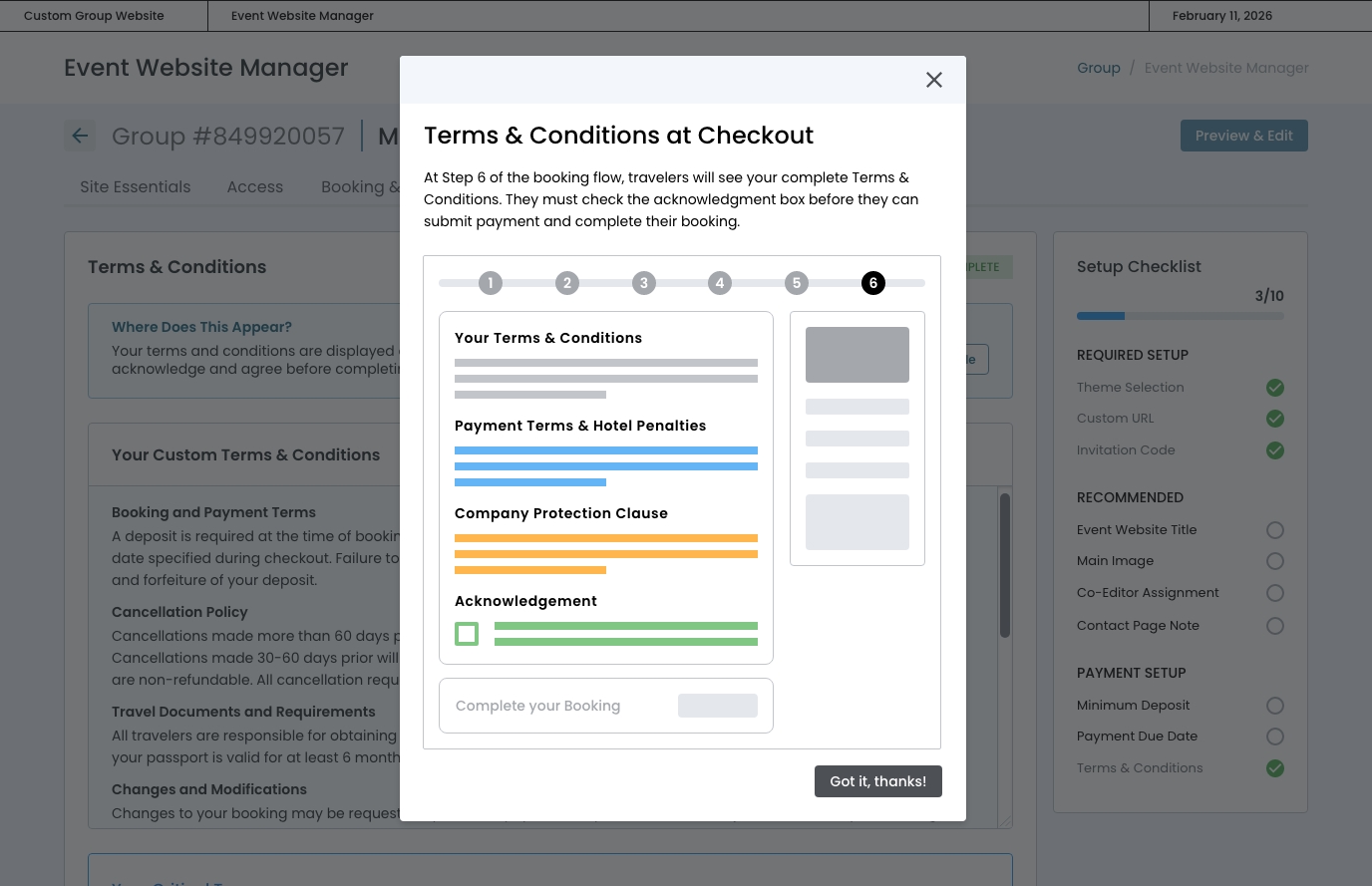
The "Where Does This Appear?" section at the top immediately answers the most common question ("Where will travelers see this?") through a visual example modal, reducing uncertainty and support tickets.
February 17th, 2025
Editing State
The editing state maintains continuity with the initial text editor experience while signaling a contextual shift through the "EDITING" badge and "Save & Exit" button.
- The "Exit" language sets clear expectations: changes will be saved and they'll return to the completed state overview, not progress to a new step.
