Content Panel, Main Image
Enables travel advisors to manage hero images and page content for group event websites.
In this page
January 27th, 2026
Initial State
From here, users can upload the main image that spans the home page. The panel also provides quick access to content sections allowing advisors to build out their site efficiently. Each section can be customized with content, images, and details that brings group travel to life.

January 27th, 2026
Main Image Upload Workflow
File Browser
When user clicks on the "Choose file to upload" area. They will see the file browser appear so that they can search for the image or photo.
- Clean file browser interface showing relevant metadata
- Selected file is clearly highlighted in blue

Adjust/Crop Modal
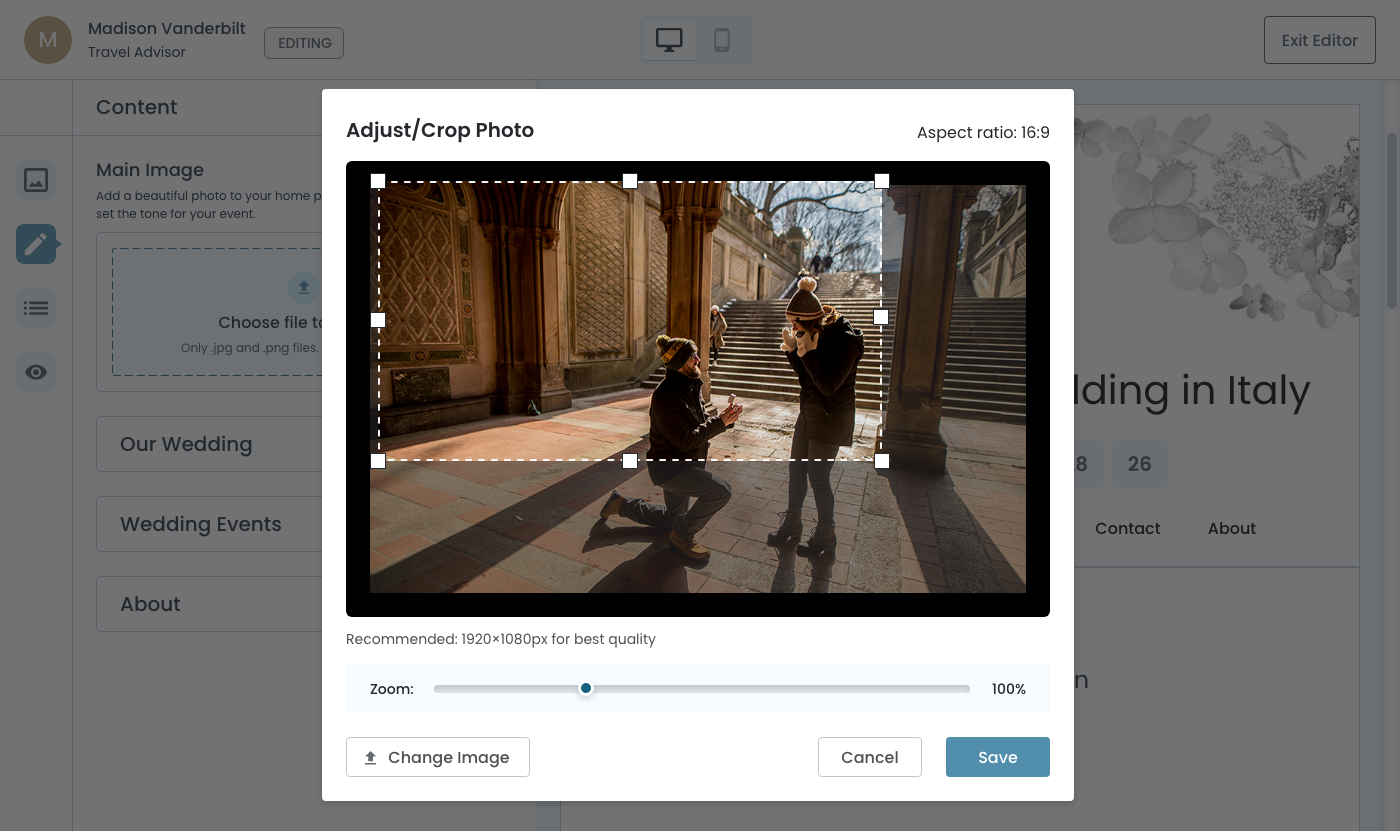
After a user selects and opens a file, they will transition to the Adjust/Crop Modal.
Visual Behavior
Aspect Ratio: 16:9
- Crop area is wide/rectangular (like in the current mockup)
- Perfect for hero images that span the full width
- Clean crop area with handles
- Zoom slider with percentage
- "Change Image" button (singular, left side)
- Cancel/Save buttons (right side)
After Upload
After user clicks on the "Save" button, the modal will close.
UX Features
- Thumbnail preview of the uploaded image
- "Edit Image" → ADJUST/CROP: Re‐crop/adjust the current image
- "Change Image" → FILE BROWSER: Select a different image file
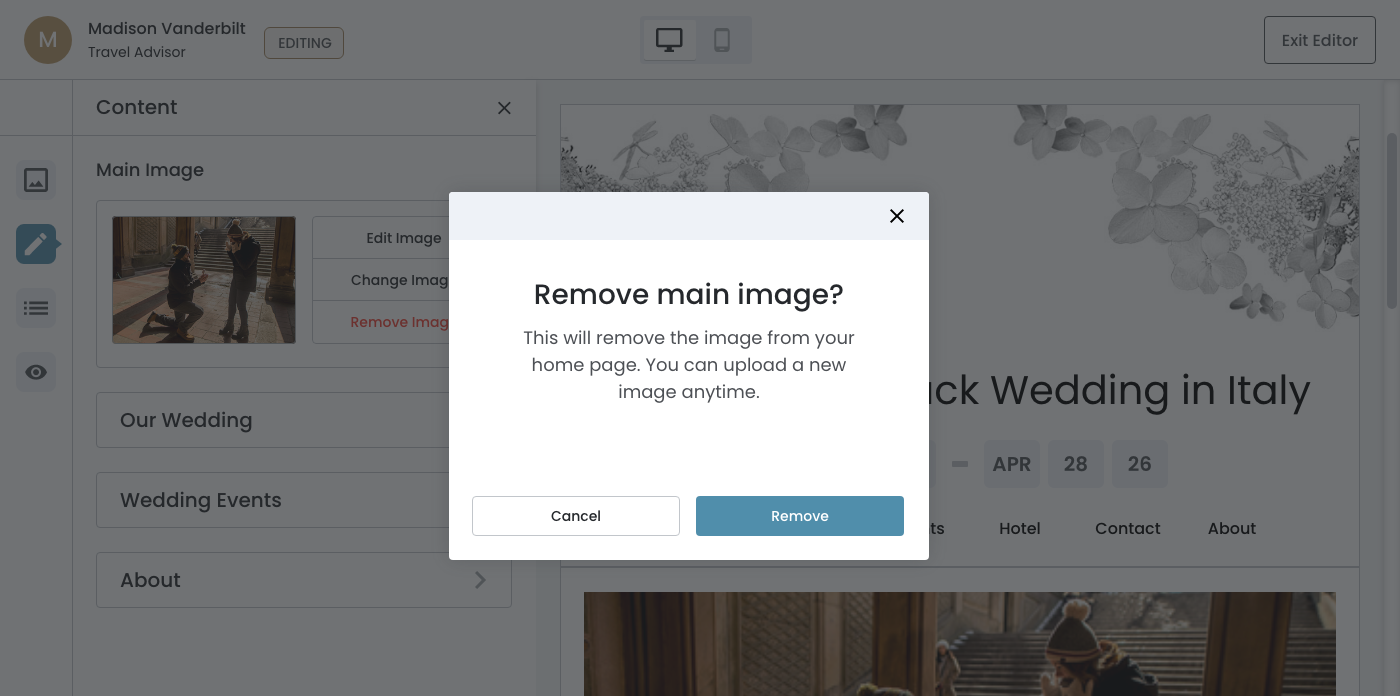
- "Remove Image" → Delete the image entirely (See below)

Remove Image
When user clicks on the "Remove Image" button, a modal will appear.
Confirmation Modal
- An action that deserves a moment of pause
- Clear about what will happen
- Removing the image returns the Main Image section to it's default state