Cancel Flow
The global behavior that triggers a Confirmation Overlay.
In this page
March 27th, 2026
Overview
The Cancel Flow is a global behavior triggered exclusively by the Cancel button in the action bar. When a user clicks Cancel while unsaved changes are present, a Confirmation Overlay appears asking them to confirm their intention before any changes are discarded.
The Cancel Flow is a sibling to the Navigation Interrupt – both use the same Confirmation Overlay component and share the "Keep Editing" recovery action – but the Cancel Flow is scoped to the Cancel button only and produces a different outcome on confirmation.
March 30th, 2026
Trigger Condition
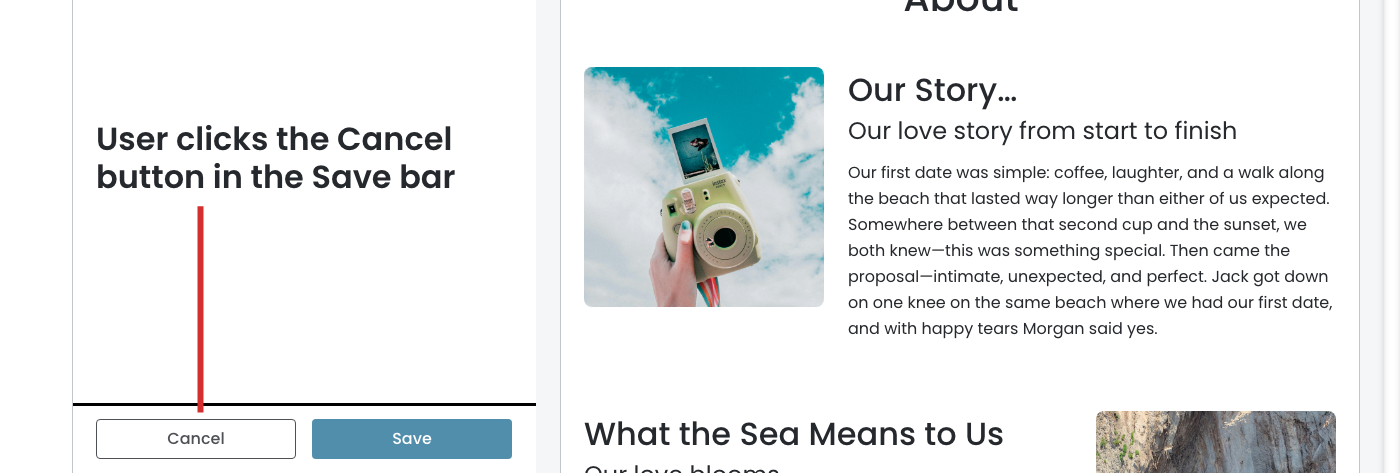
The Cancel Button
The Cancel Flow fires when all of the following are true:
- A panel is currently open
- The action bar (Cancel, Save or Cancel, Save & Publish) is visible
- The user clicks the Cancel button
If the action bar is not visible, the Cancel button is not present. The Cancel Flow can only trigger when the action bar is showing.
March 30th, 2026
Confirmation Overlay
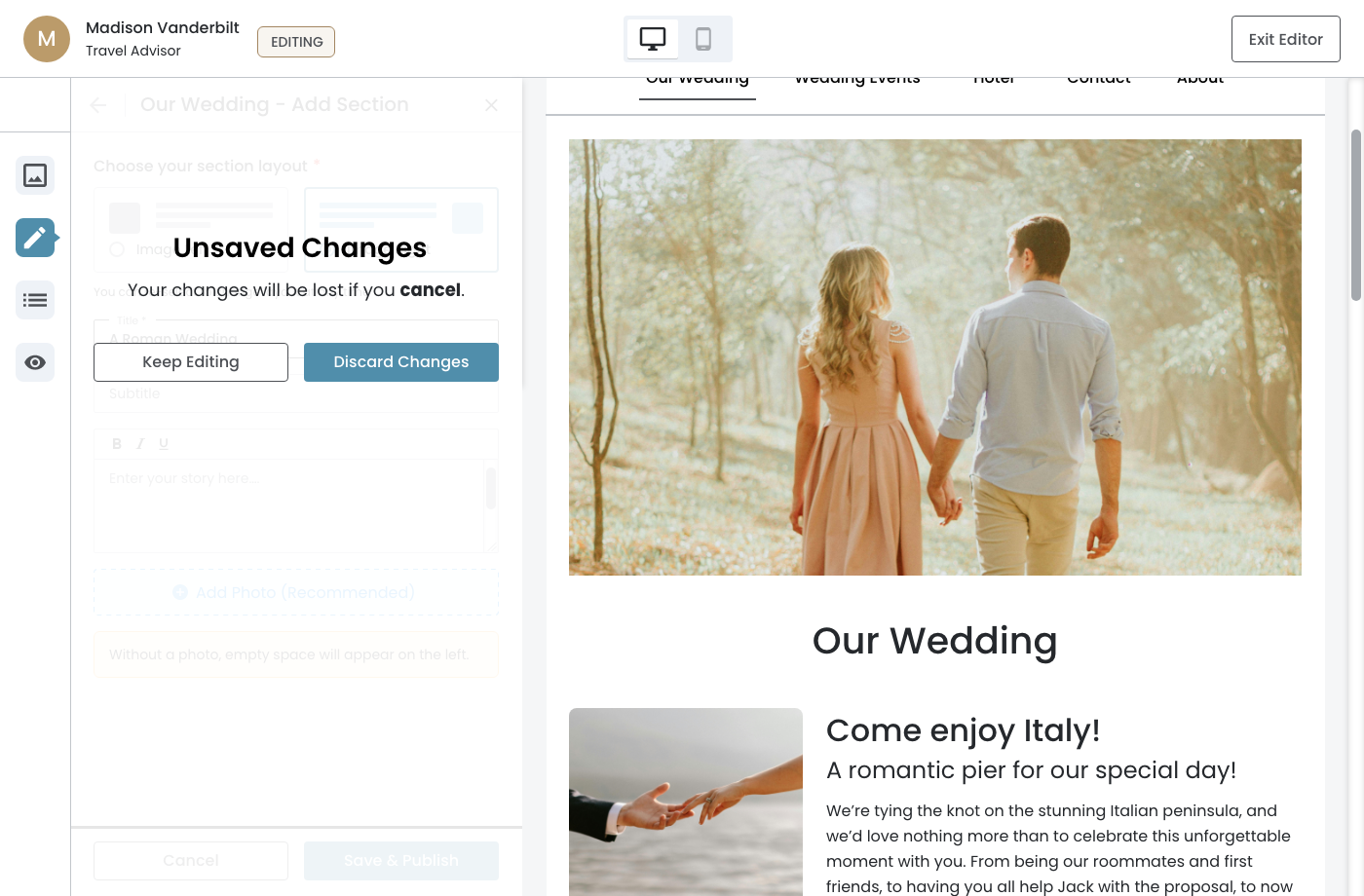
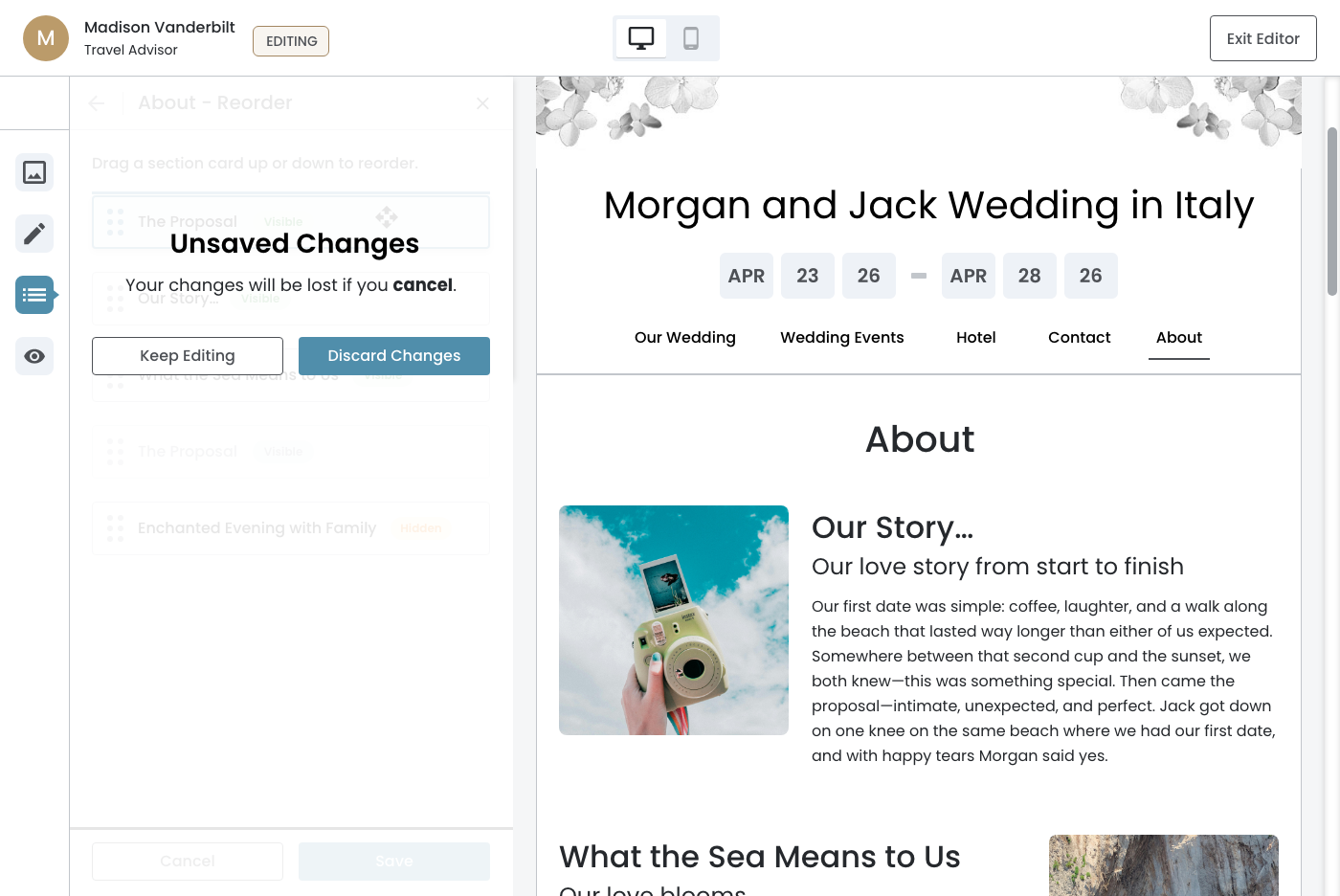
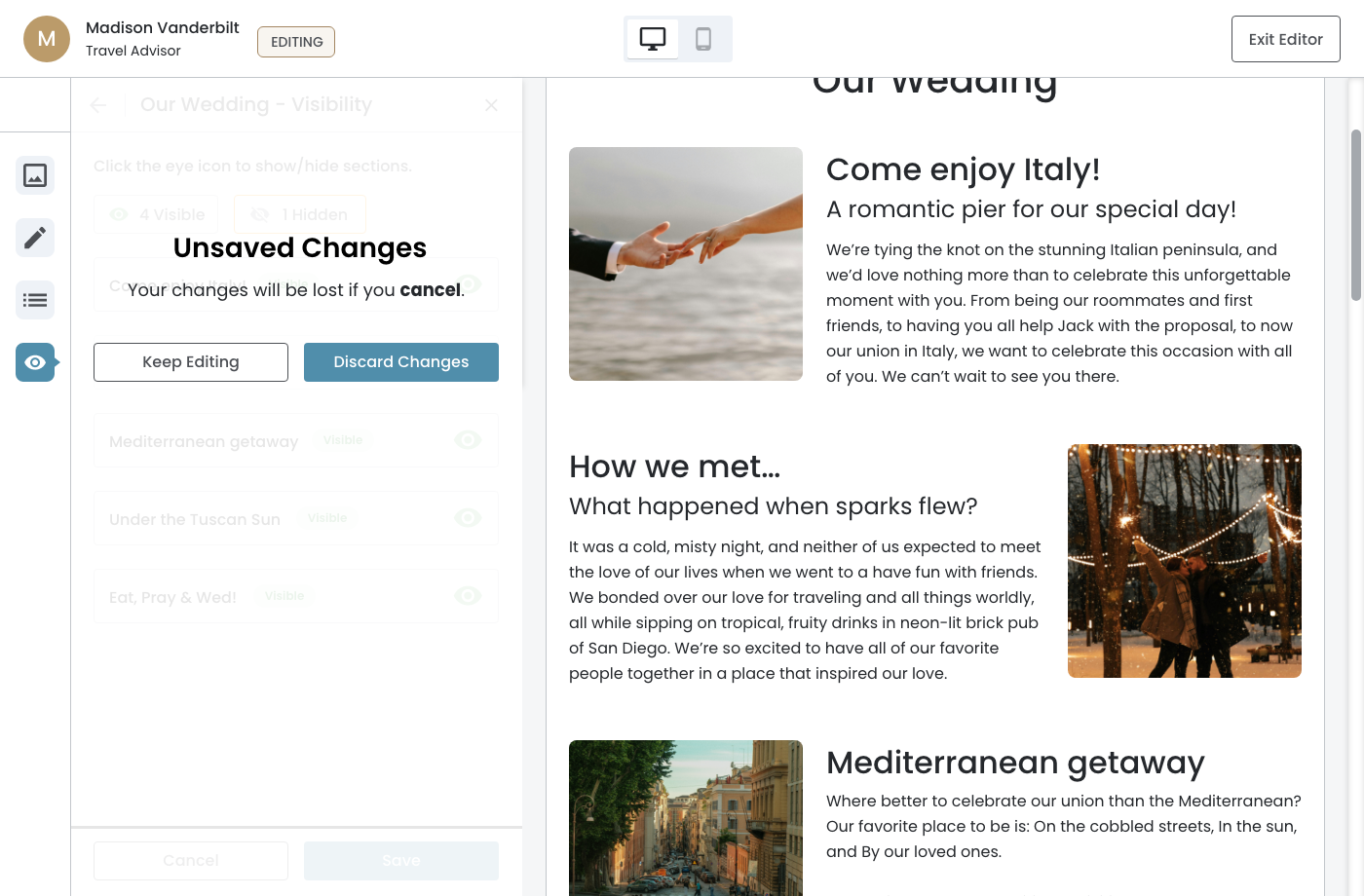
When triggered, the Confirmation Overlay appears centered over the panel. The panel content behind it is dimmed.
Copy Rationale
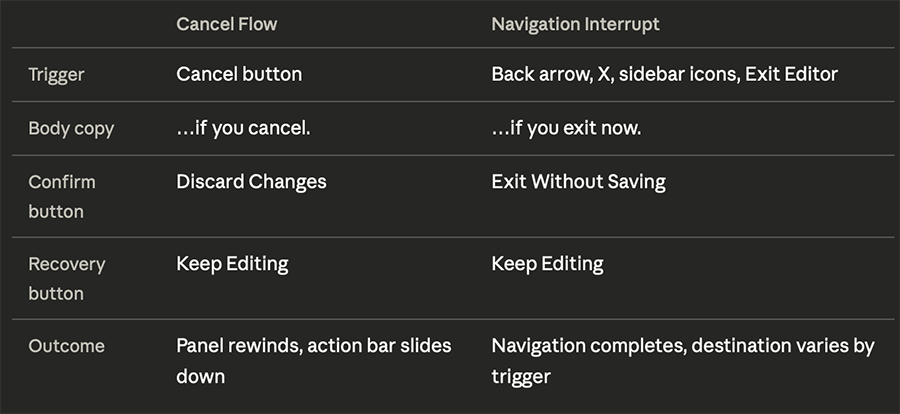
"Your changes will be lost if you cancel." mirrors the body copy of the Navigation Interrupt but replaces "exit now" with "cancel" – grounding the message in the exact action the user just took. "Discard Changes" names the consequence directly so the user knows precisely what they are confirming.
Behavior after action
- Keep Editing — the overlay dismisses and the user returns to the current panel state with the action bar still visible. No changes are lost.
- Discard Change — the overlay dismisses and the panel rewinds to its pre‐interaction state. The original content is restored and the action bar slides down.
Theme Panel
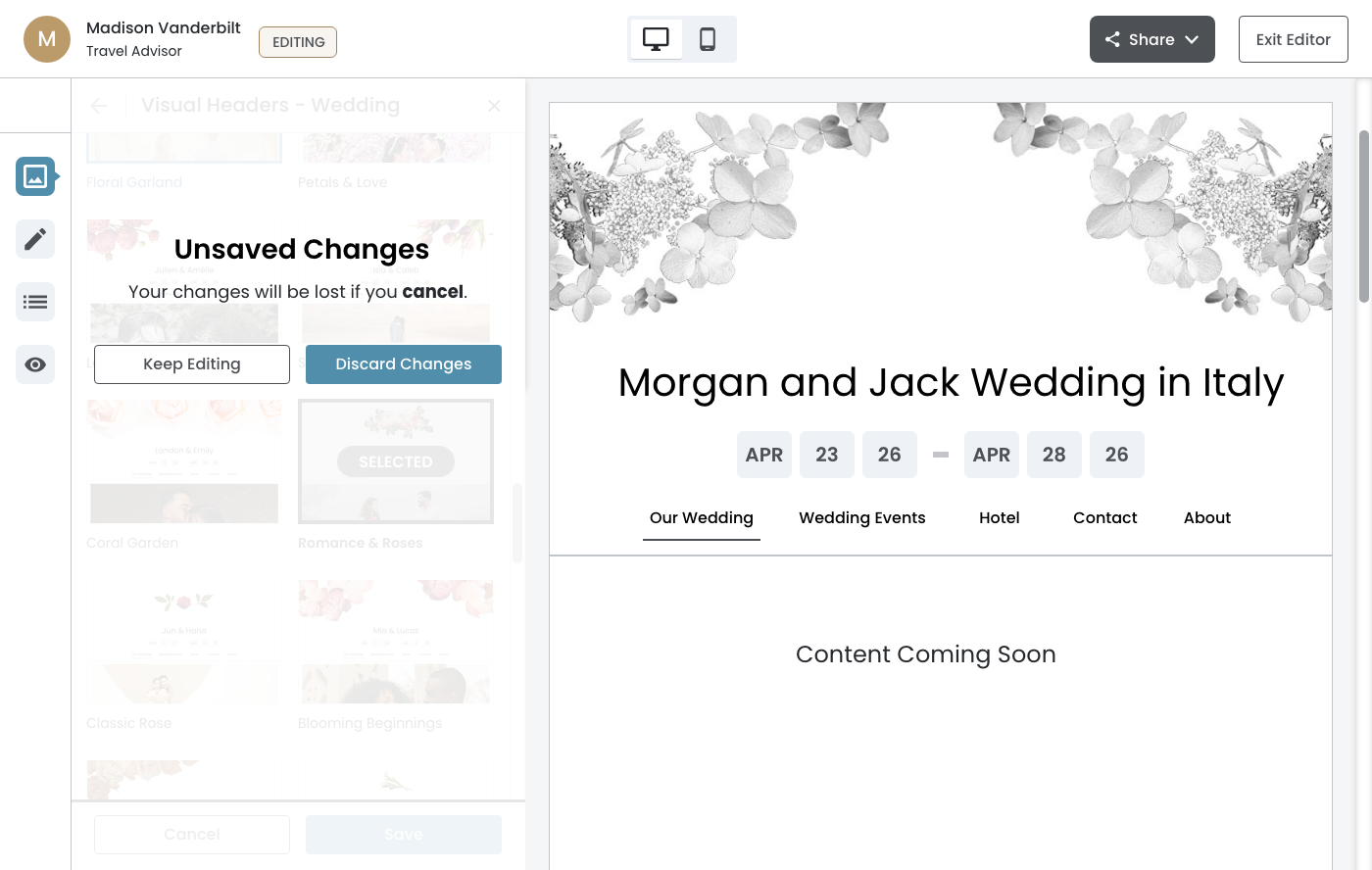
Content Panel — single‐column
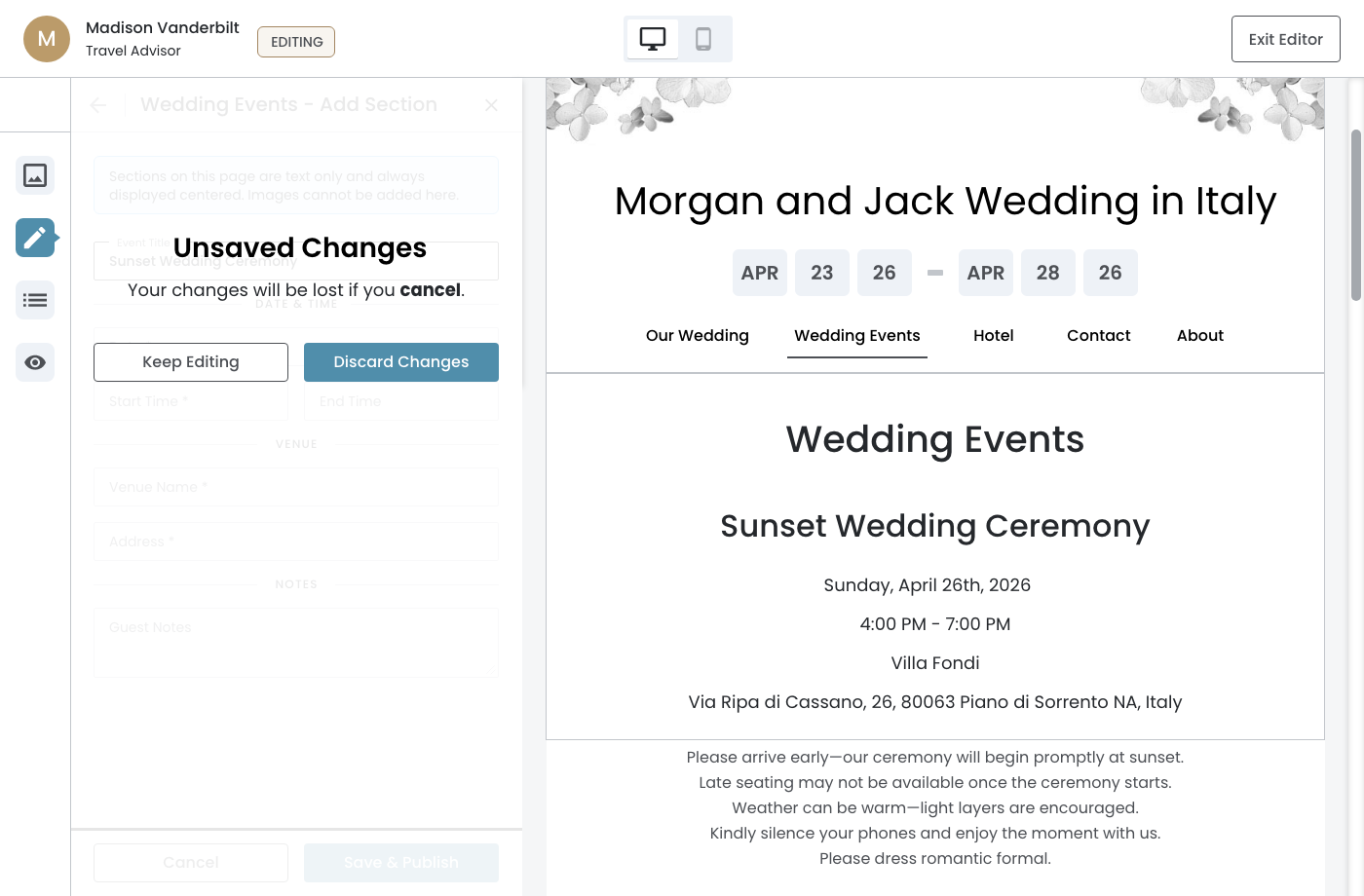
Content Panel — two‐column
Reorder Panel
Visibility Panel
March 30th, 2026
Relationship to Navigation Interrupt
The Cancel Flow and Navigation Interrupt are intentionally kept separate. The Cancel button is a deliberate abandonment action – the user is choosing to stop. The Navigation Interrupt triggers on navigational controls where the user may not have considered their unsaved state. The distinction is reflected in the confirm button label and the outcome that follows.