Navigation Interrupt
The global behavior that triggers a Confirmation Overlay.
In this page
March 27th, 2026
Overview
The Navigation Interrupt is a global behavior that applies consistently across all panels in the editor. When a user attempts to navigate away from a panel that has unsaved changes, a Confirmation Overlay appears to prevent accidental data loss.
March 27th, 2026
Trigger Condition
The Action Bar
The Navigation Interrupt fires when all of the following are true:
- A panel is currently open
- The action bar (Cancel, Save or Cancel, Save & Publish) is visible
- The user activates one of the four navigation interrupt triggers
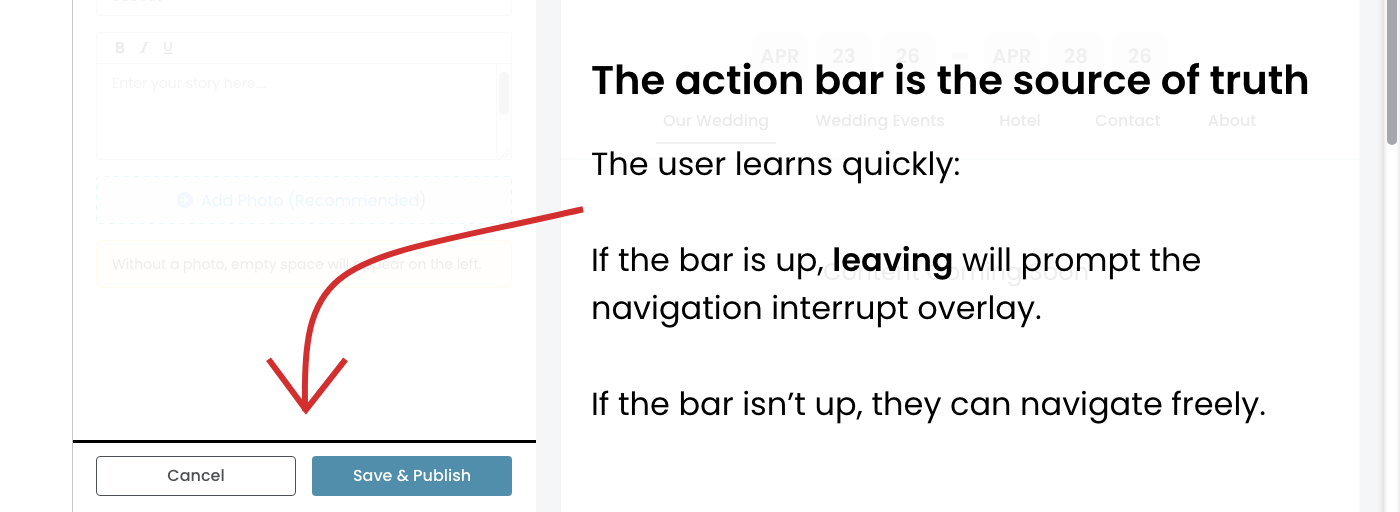
The action bar is the source of truth. If the action bar is not visible, navigation proceeds freely with no interrupt.
March 27th, 2026
Navigation Interrupt Triggers
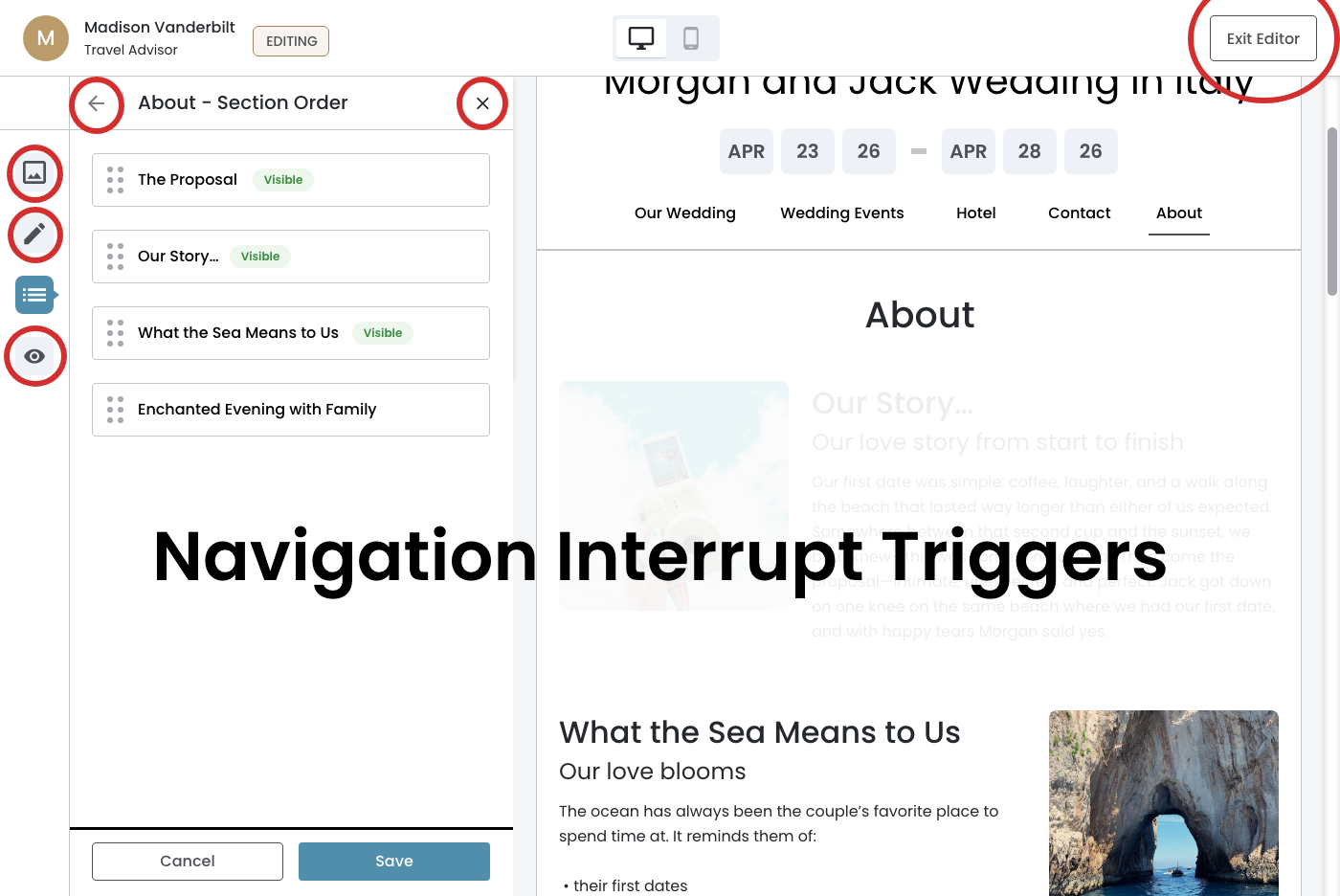
The following four controls trigger the Navigation Interrupt when the action bar is present:
- Back arrow — top left of the panel header
- X (close) — top right of the panel headerr
- Sidebar icons — clicking any icon in the editor sidebar
- Exit Editor — top right button of the editor chrome
The Cancel button is not a Navigation Interrupt trigger. Cancel has its own dedicated flow and overlay copy, documented separately in the Cancel Flow spec.
March 27th, 2026
Confirmation Overlay
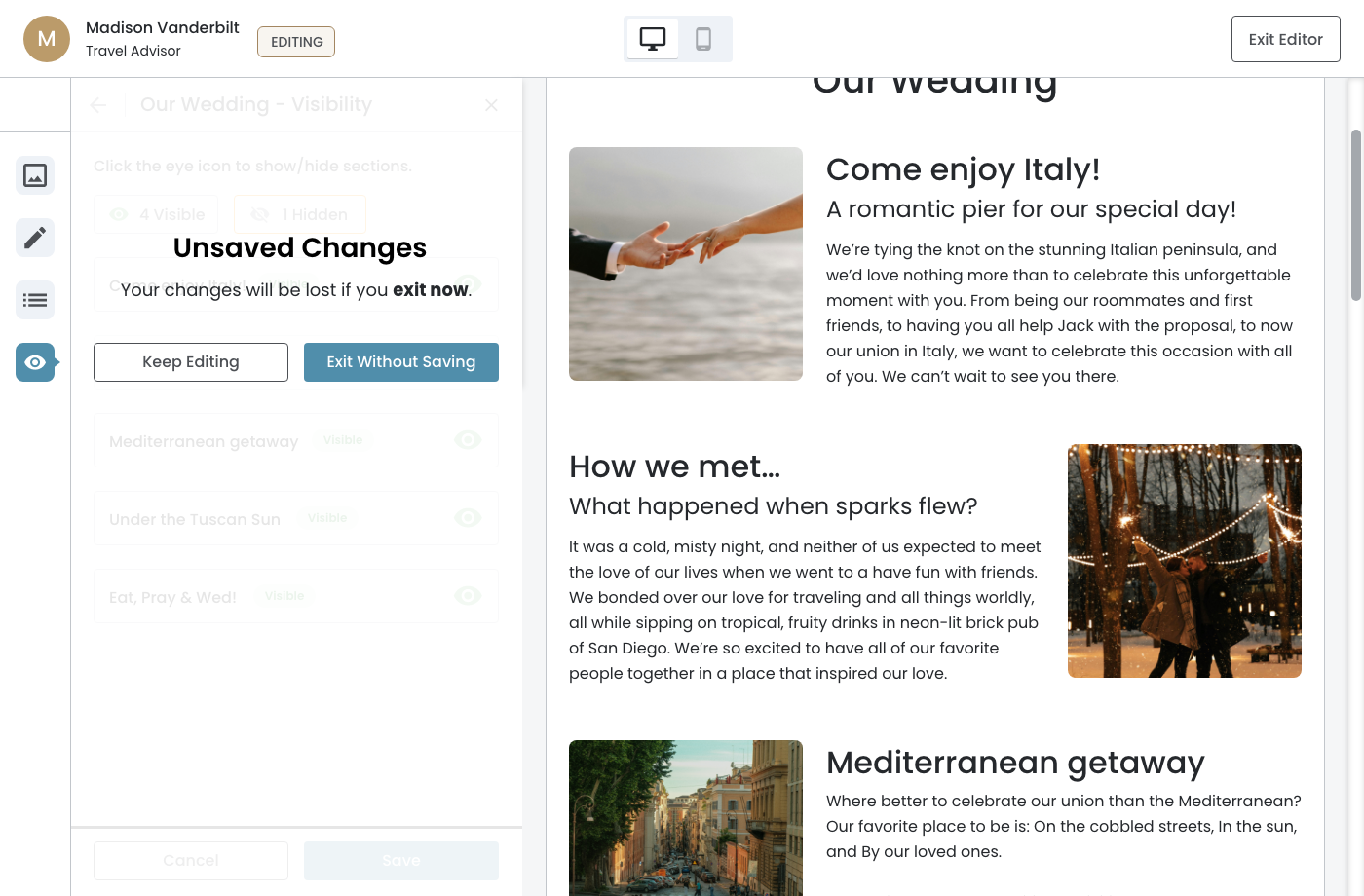
When triggered, the Confirmation Overlay appears centered over the panel. The panel content behind it is dimmed.
Copy Rationale
The overlay copy is intentionally panel-agnostic. "Your changes will be lost if you exit now." speaks to consequence without referencing whether the panel action is Save or Save & Publish. This makes the copy universal across all panels.
"Keep Editing" returns the user to the panel with no changes made. "Exit Without Saving" discards all unsaved changes and completes the navigation.
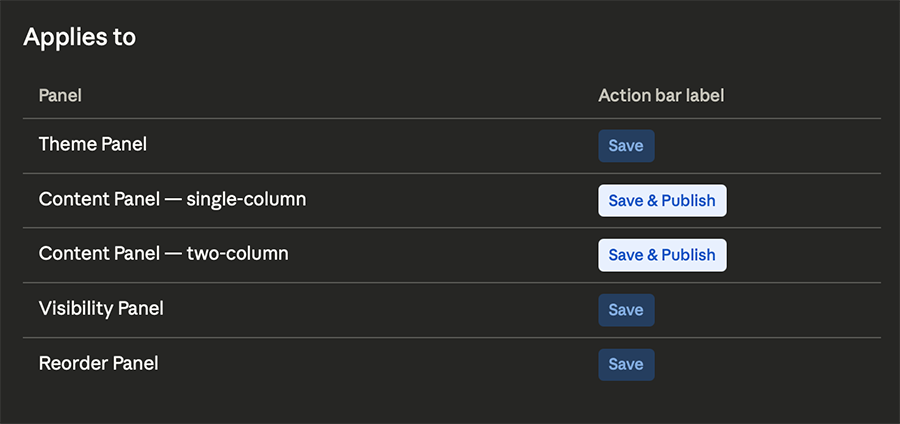
Theme Panel
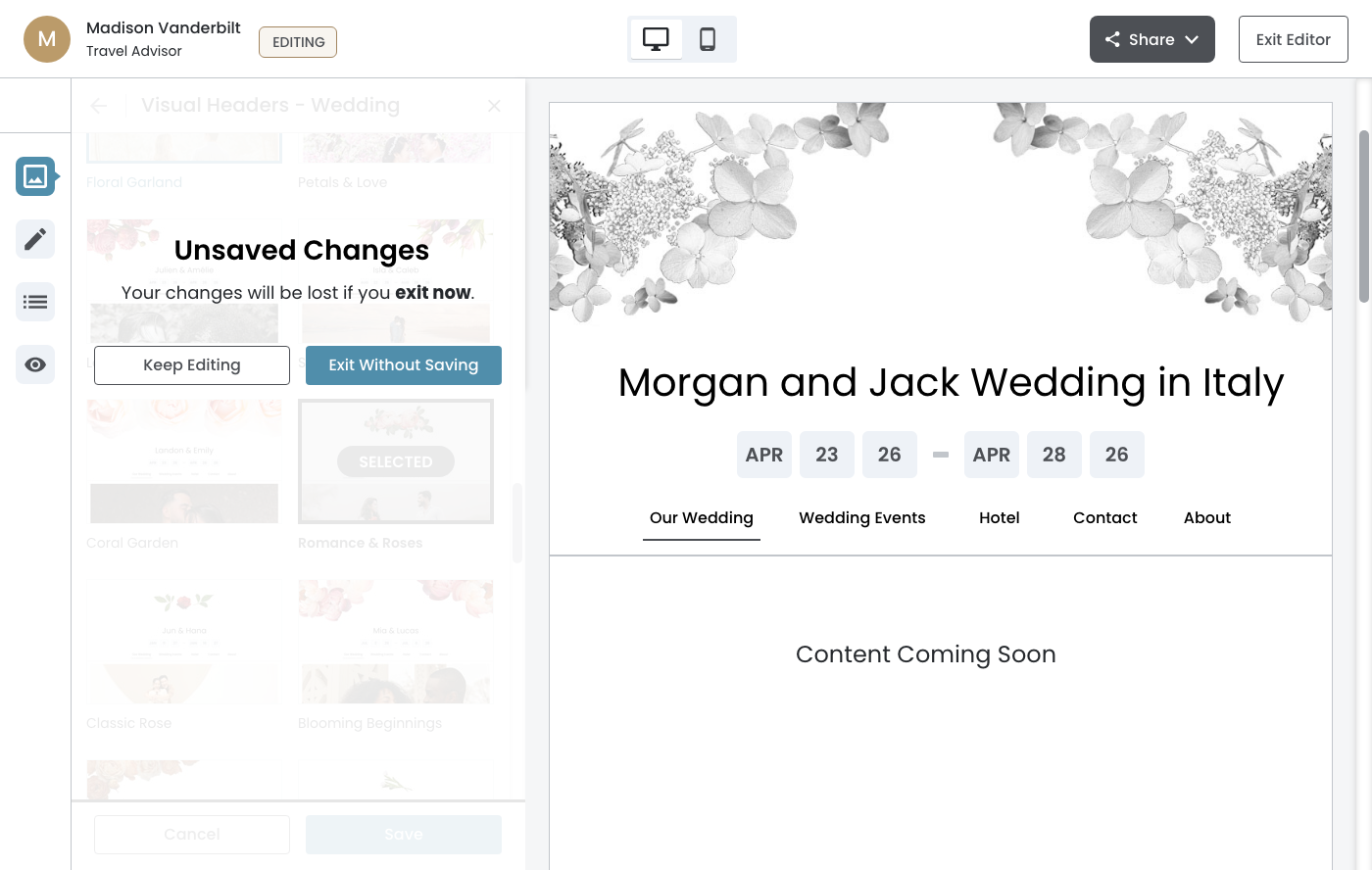
Content Panel — single‐column
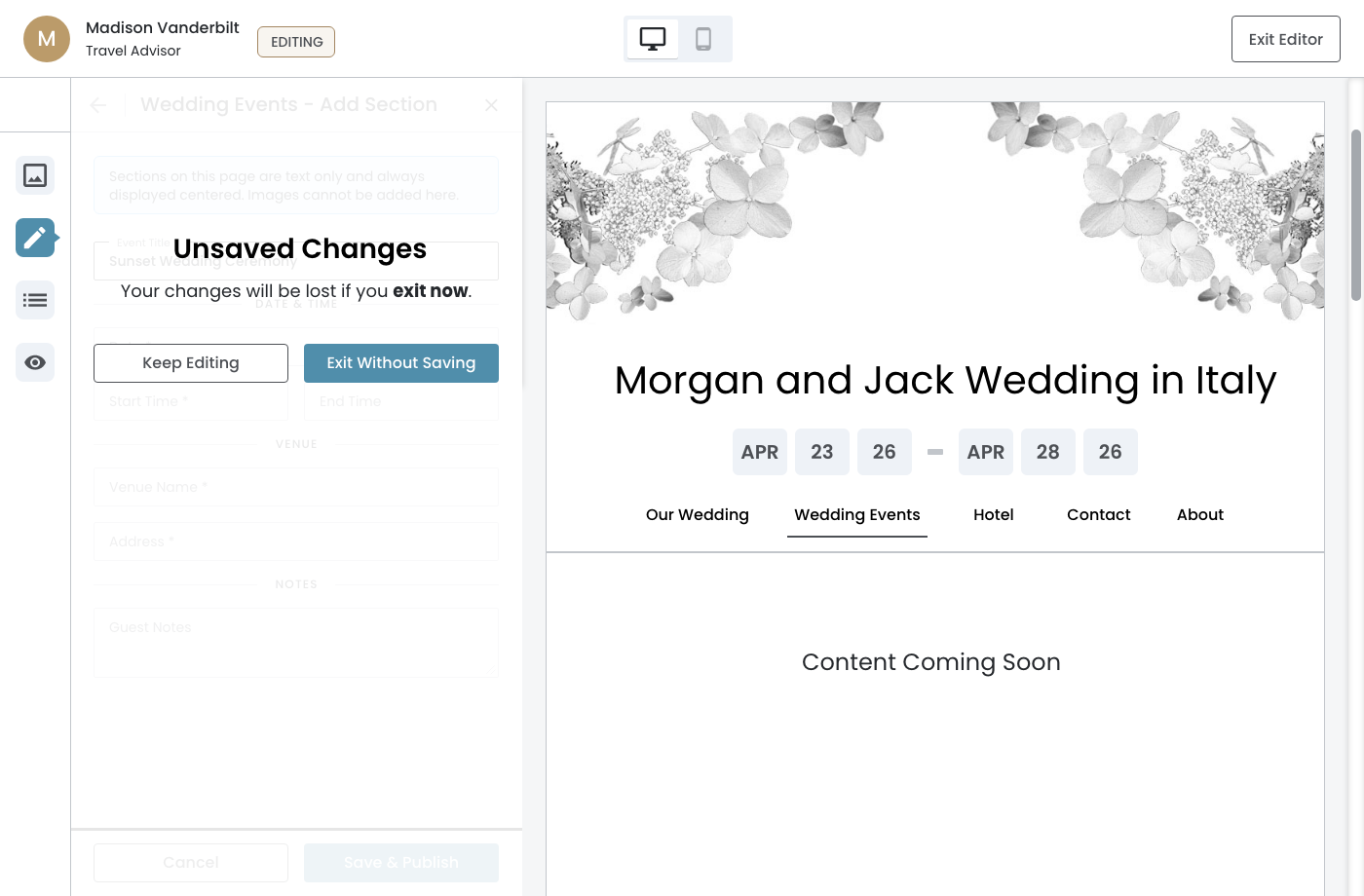
Content Panel — two‐column
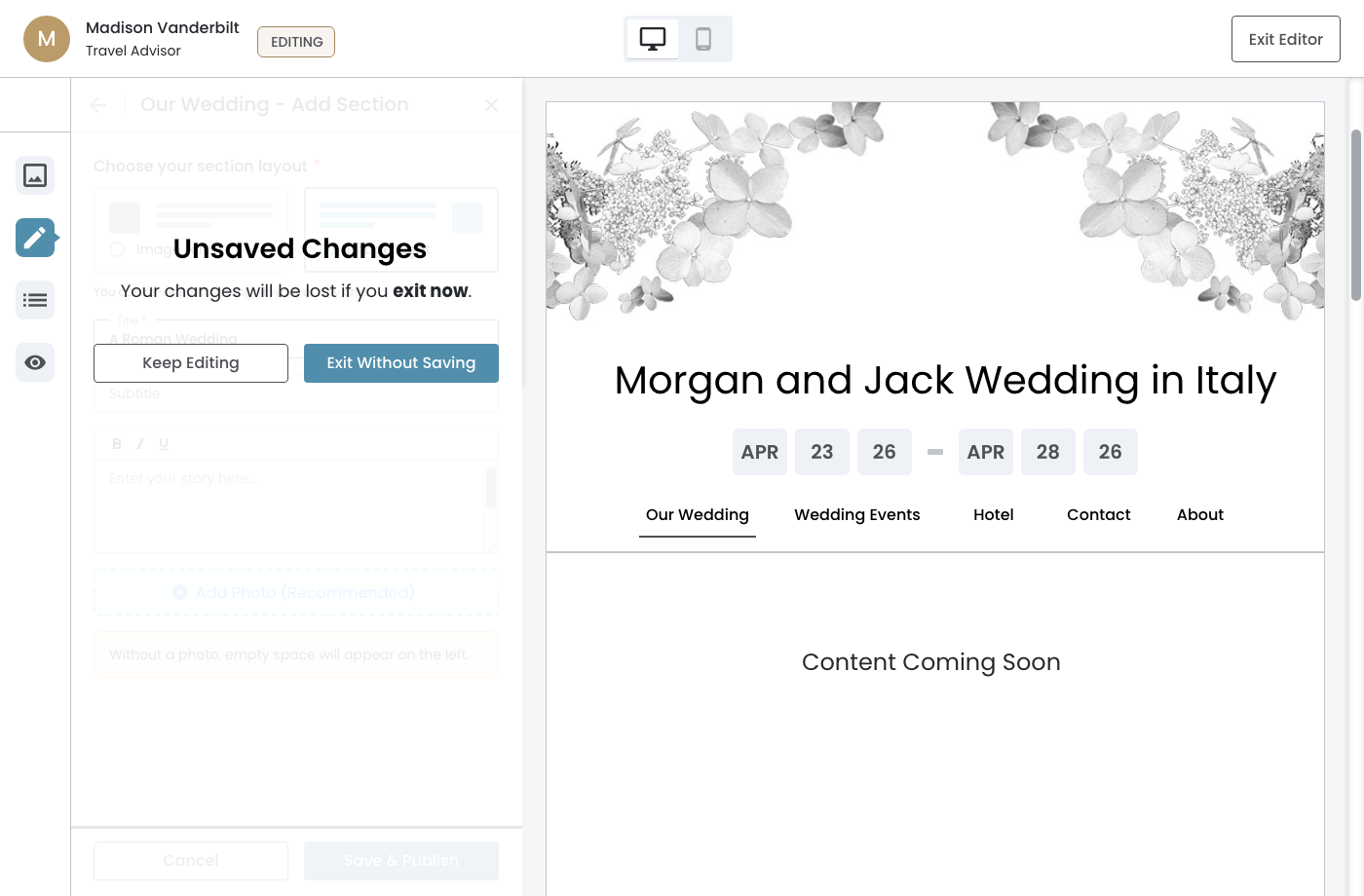
Reorder Panel
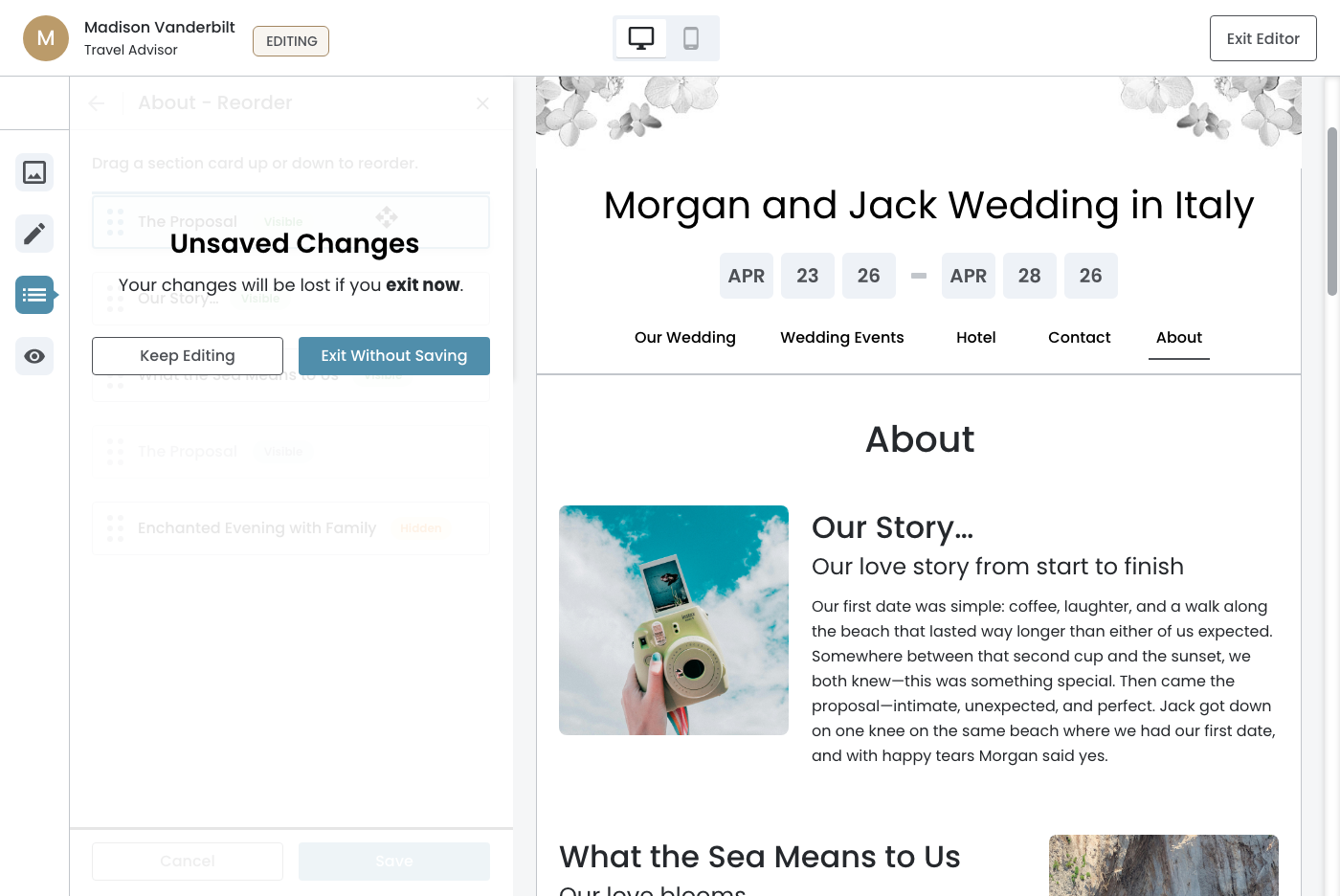
Visibility Panel
March 30th, 2026
Relationship to Cancel Flow
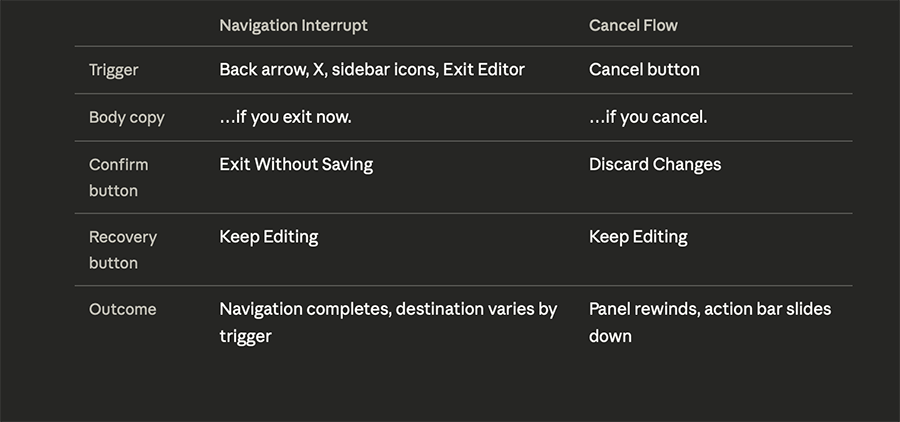
The Navigation Interrupt and Cancel Flow are intentionally kept separate. The Navigation Interrupt triggers on navigational controls where the user may not have considered their unsaved state. The Cancel button is a deliberate abandonment action — the user is choosing to stop. The distinction is reflected in the confirm button label and the outcome that follows.